As late October brings crisp autumn air and cooler nights to Bristol County, local residents and small business owners in Taunton, Massachusetts start tuning up heating systems and sealing windows. Preparing your home and workplace for New England winters is standard practice, but one critical device often gets overlooked in fall prep: your computer.
With colder weather around the corner, indoor life picks up speed. Heating systems kick on, home offices get used more frequently, and desktop towers or laptops work harder to support daily operations. Dust accumulation combined with warm indoor air creates a silent threat to electronic components. Taking time for proactive maintenance before winter arrives protects hardware investment and ensures smooth, uninterrupted daily performance.
The Hidden Winter Threat: Heating Systems, Dust, and Airflow
Winter changes the indoor environment inside Taunton homes and small offices. Central heating, radiators, and space heaters keep spaces comfortable, but they also circulate dry air and fine dust particles throughout room interiors.
- Heaters cycle indoor dust: Turning on forced air heating systems lifts settled dust, pet dander, and fibers directly into room circulation, where intake fans pull them straight inside PC cases.
- Closed windows trap airborne debris: Reduced fresh air turnover means dust settles on computer heatsinks, intake filters, and internal cooling fans much faster than during summer months.
- Dry winter air and static buildup: Low humidity increases static electricity risks around sensitive circuitry, while insulating layers of dust trap heat on motherboard components.
- Heavy seasonal usage increases thermal load: Long winter evenings and end-of-year business tasks mean PCs run longer hours under continuous thermal strain.
Understanding these environmental factors helps prevent unexpected slowdowns or sudden hardware failure when you rely on your equipment the most.
How Internal Dust Causes Overheating and System Slowdowns
Computers rely on steady air circulation to dissipate thermal energy generated by processors and graphics cards. When dust blankets internal heatsinks, cooling fans must spin faster to compensate, creating noise and accelerating mechanical wear.
- Blocked thermal dissipation: Dust layers act like a thick thermal blanket over CPU and GPU heatsinks, preventing heat from escaping into passing air currents.
- Clogged intake and exhaust vents: Reduced airflow forces internal temperatures up, causing system sensors to initiate automatic thermal throttling to protect chips from permanent damage.
- Sluggish performance under load: Thermal throttling deliberately slows processing speed, leading to lagging software, slow file transfers, and frequent system freezes.
- Premature component degradation: Prolonged exposure to high operating temperatures shortens the lifespan of power supplies, solid-state drives, and motherboard capacitors.
Investing in a thorough professional IT services maintenance routine removes trapped debris before component degradation occurs, preserving speed and reliability.
DIY Dusting vs. Professional Deep Cleaning: Knowing the Difference
Quickly wiping off outer computer casings or blowing canned air into exterior vents offers minor aesthetic relief, but it often fails to resolve internal thermal bottlenecks. In many cases, improper consumer cleaning methods push dust deeper into power supplies or damage delicate fan bearings.
- Limitations of canned compressed air: Pressurized air cans often dislodge surface dust only to blow it deeper into tight heatsink fins or internal power unit crevices.
- Risk of static discharge: Using standard household vacuums creates static electric fields capable of frying delicate circuit boards and memory modules instantly.
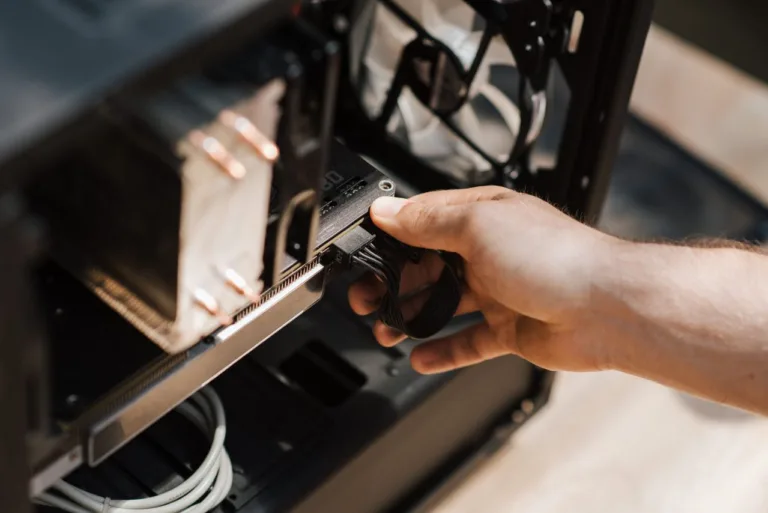
- Component disassembly requirements: Reaching hidden fan blades, replacing dried thermal paste, and cleaning power supply internals requires safe disassembly and specialized tools.
- Professional safety protocols: Certified technicians use antistatic work environments, regulated air pressure, and dedicated contact cleaners to safely restore thermal efficiency.
When performance drops or fans sound unusually loud, choosing a complete professional PC cleaning service ensures every component gets safely cleaned without risking hardware damage.
Comprehensive Winter Prep Checklist for Taunton PC Owners
Getting your computer ready for heavy winter use involves both physical hardware maintenance and essential digital updates. Local businesses and remote workers across Taunton and surrounding New England communities can follow this practical checklist:
- Inspect physical fan movement: Listen closely for rattling, grinding, or loud fan noises that indicate worn bearings or thick dust drag.
- Clear space around desktop towers: Elevate desktop cases off carpeted floors to reduce direct suction of floor dust, pet hair, and carpet fibers.
- Update critical software and drivers: Keep operating systems and security patches up to date alongside physical cleanup for optimal overall health.
- Verify system backup solutions: Ensure important personal files and business data are safely backed up to secure cloud or local storage.
- Schedule professional hardware maintenance: Partner with trusted experts for thorough internal dust extraction and system health evaluations.
Combining proper physical care with proactive system maintenance ensures local computers run quiet, cool, and fast throughout winter months. Connect directly with our team through our contact us page or learn more about our local family values on our about us page to discover how tailored tech assistance keeps local devices operating efficiently. Explore full digital support offerings on our main services page or check out our complete tech insights on our blog.
Frequently Asked Questions (FAQ)
1. How often should I get a professional PC cleaning service in Taunton, MA?
A professional PC cleaning service is recommended every six to twelve months. In places like Taunton, MA, where seasonal heating systems increase indoor dust during winter, scheduling a thorough physical cleaning in late autumn before heavy winter usage helps maintain peak cooling performance and extends hardware life.
2. What are the signs that my computer needs an internal dust cleaning?
Key warning signs include unusually loud or constantly spinning fans, high internal temperatures, unexplained system slowdowns during routine tasks, sudden shutdowns caused by thermal throttling, and visible dust buildup along intake vents or fan grilles.
3. Is using compressed air at home enough to clean my computer for winter?
Canned compressed air offers quick surface touchups, but it rarely removes packed dust inside heatsinks or power supplies. Improper use can freeze components with liquid propellant or push debris deeper into tight spaces, making professional hardware cleaning safer and far more effective.
4. Can dust accumulation inside a PC cause permanent hardware damage?
Yes, thick dust layers prevent heat dissipation, forcing internal components to operate at elevated thermal levels. Prolonged exposure to high heat degrades processors, motherboards, power units, and storage drives, leading to sudden hardware failure and costly replacements.
5. Where can I find reliable local computer maintenance and IT services near Taunton, MA?
SonicKorp provides personalized local IT support and computer care for residents and small businesses in Taunton, MA, and surrounding Bristol County communities. You can learn more about specialized hardware care and business tech solutions by visiting our main SonicKorp homepage.
Are you noticing fan noise or system slowdowns as cold weather sets in? Let us know how your computer is performing this season, or share your top questions about local IT maintenance in the comments below!