The Hidden Cost of Neglecting Computer Maintenance in Your Small Business
Running a small business in Taunton, MA means every minute counts, yet the computers powering your daily operations often go ignored until something breaks. When a workstation freezes during a client call or a point of sale terminal shuts down mid transaction, the financial loss goes far beyond a simple repair bill.
Small businesses lose thousands of dollars each year to preventable downtime, sluggish hardware, and emergency troubleshooting. Understanding how minor hardware and software issues snowball into operational bottlenecks helps local business owners protect their revenue, extend equipment lifespans, and keep teams productive.
How Neglected Hardware Disrupts Daily Operations
Most computer failures do not happen overnight. They build up quietly inside the machine while your team focuses on serving customers and managing orders. Over time, minor neglect triggers compounding issues across your entire office network:
- Dust Accumulation and Airflow Blockages: Office environments collect paper fibers, skin cells, and airborne debris that get pulled directly into desktop towers and laptop vents. Thick dust blankets trap heat against sensitive components like processors and graphics cards.
- Chronic Overheating and Component Wear: When blocked vents prevent proper airflow, internal temperatures spike. Modern processors automatically slow down to protect themselves from thermal damage, causing sudden lag during routine tasks like invoicing or updating inventory.
- Noticeable Performance Drops: Fragmented storage, bloated temporary files, and thermal throttling turn fast workstations into sluggish bottlenecks. Employees waste valuable hours waiting for spreadsheets to load or browsers to respond.
- Pending System and Security Updates: Skipping operating system patches and driver updates leaves your business exposed to ransomware and software conflicts. Outdated systems frequently crash when interacting with modern cloud tools or custom e-commerce solutions.
- Ventilation and Workspace Placement Issues: Pushing desktop towers tight against walls or inside closed cabinets chokes intake fans. Without clear exhaust paths, hot air recirculates through the chassis and accelerates hardware degradation.
Preventive Maintenance vs. Emergency Troubleshooting
Many business owners treat technology like a light bulb, waiting until it burns out before calling for help. Shifting from reactive repairs to scheduled upkeep changes both your budget and your daily stress levels.
- Predictable Costs vs. Surprise Bills: Preventive maintenance keeps expenses steady through planned cleanings and diagnostics. Emergency troubleshooting hits your cash flow with rush fees, expedited shipping for replacement parts, and unexpected labor charges.
- Zero Downtime vs. Halted Operations: Routine care happens outside peak business hours, keeping your staff working without interruption. Reactive fixes happen in the middle of a busy workday, stalling sales, customer support, and order fulfillment.
- Extended Hardware Lifespan vs. Early Replacement: Keeping internal components cool and clean helps business computers last five to seven years. Chronic overheating forces companies to replace expensive workstations every two or three years.
- Proactive Security vs. Data Recovery: Regular update management closes security loopholes before attackers exploit them. Waiting until a system crashes often requires costly data recovery efforts that still risk permanent file loss.
When to Hire a Professional PC Cleaning Service
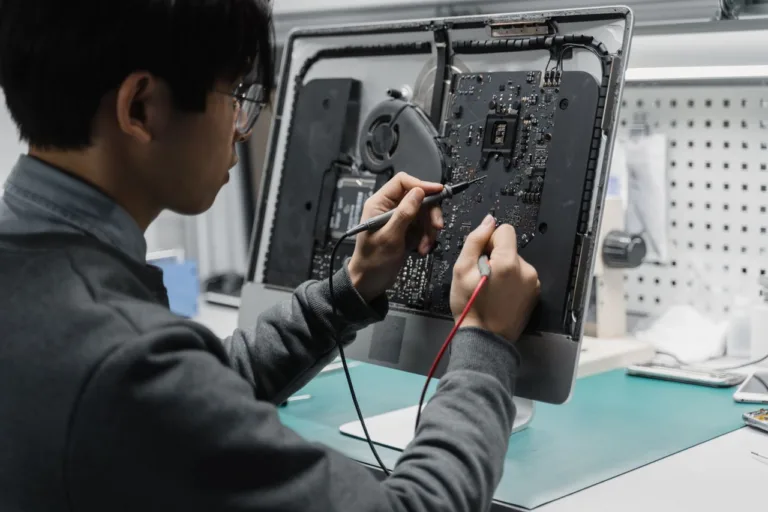
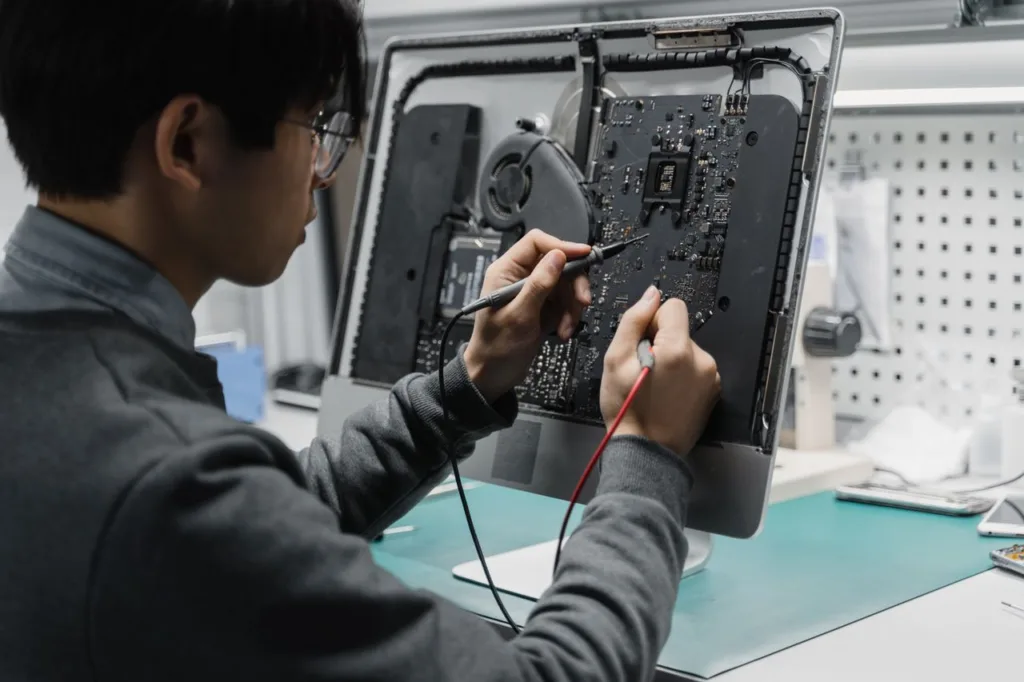
While wiping down screens and using compressed air on keyboards helps surface cleanliness, internal computer maintenance requires specialized tools and technical knowledge.
Opening a chassis without proper electrostatic discharge protection or spraying moisture from canned air onto circuit boards can permanently destroy motherboards. You should schedule a professional cleanup with experienced local IT services whenever you notice these warning signs:
- Cooling fans spin loudly at maximum speed even when only basic programs are open.
- Laptop bases or desktop cases feel hot to the touch after an hour of normal use.
- Computers randomly restart, display blue error screens, or shut down without warning.
- Dust bunnies are visibly caked around rear exhaust grilles and power supply vents.
- Workstations have gone more than twelve months without an internal deep cleaning and thermal paste inspection.
Partnering with a dedicated technology team ensures your hardware stays in peak condition while you focus on growth. At SonicKorp, our family owned team combines hands on technical support with personalized care for businesses across Taunton and Bristol County.
Whether your office needs thorough hardware cleanings, network optimization, or tailored digital business solutions, you can explore more practical tech guides on the SonicKorp blog or reach out to our specialists to schedule a workstation checkup.
Frequently Asked Questions
1. How often should small business computers be professionally cleaned?
Small business computers should receive a professional internal cleaning every six to twelve months. Offices located near active roadways, retail floors, warehouses, or workshops with higher airborne dust levels benefit from semi annual cleanings to prevent fan failure and overheating.
2. Can dust buildup really slow down a business computer?
Yes, heavy dust accumulation directly reduces computer speed. Dust insulates internal heat sinks and blocks cooling fans, causing the processor to overheat and trigger thermal throttling, which intentionally lowers processing power to prevent permanent hardware damage.
3. What is the difference between preventive IT maintenance and break fix support?
Preventive IT maintenance involves scheduled cleanings, software updates, and hardware diagnostics designed to stop failures before they happen. Break fix support is a reactive approach where technicians only step in after a computer crashes, resulting in higher emergency costs and lost productivity.
4. Is canned air safe for cleaning the inside of an office PC?
Using canned air from the outside vents often pushes dust deeper into cooling fins and fan bearings rather than removing it. Tilting the can can also spray freezing liquid propellant onto delicate components, making professional anti static vacuuming and disassembly much safer for business hardware.
5. How do pending updates affect small business computer performance?
Pending operating system and driver updates create compatibility conflicts with modern software, cause memory leaks that drain system speed, and leave critical security vulnerabilities open to malware attacks that can lock your business out of vital files.