Technology is essential for modern businesses, but even the most advanced systems experience issues from time to time. Whether it is a slow computer, connectivity problems, or unexpected crashes, technical issues can disrupt productivity and create unnecessary stress for employees. For businesses in Taunton and across Massachusetts, understanding how to handle common computer problems is key to maintaining smooth operations. Computer troubleshooting is no longer just an IT task—it is a critical skill that helps businesses reduce downtime, improve efficiency, and protect their systems. This guide explores ten of the most common computer problems and provides practical solutions to fix them quickly while also explaining when it is best to seek professional IT support.
Quick Answer: Common Computer Problems (Featured Snippet)
Here are the most common computer issues businesses face and how to troubleshoot them:
• Slow computer performance
• Computer won’t turn on
• Internet connectivity issues
• Frequent system crashes
• Software not responding
• Overheating problems
• Peripheral devices not working
• Security warnings or malware infections
• Blue screen errors
• File access or data loss issues
Identifying the root cause of these problems quickly can prevent bigger technical failures.
1. Slow Computer Performance
One of the most frequent complaints in any business environment is a slow computer. When systems lag, employees lose valuable time waiting for applications to load or files to open. Slow performance can be caused by too many background programs, insufficient memory, outdated hardware, or malware infections. The first step in troubleshooting is checking which programs are running in the background and closing unnecessary applications. Updating the operating system and software can also improve performance. If the problem persists, upgrading RAM or switching to faster storage such as solid-state drives can make a significant difference. Regular system maintenance helps prevent performance issues before they become severe.
2. Computer Won’t Turn On
A computer that refuses to power on can bring business operations to a complete stop. This issue may be caused by power supply failures, faulty cables, or internal hardware problems. Troubleshooting begins by checking the power source, ensuring the device is properly plugged in, and verifying that outlets are functioning. For laptops, removing and reinserting the battery can sometimes resolve the issue. If the system still does not power on, the problem may be related to internal components such as the motherboard or power supply unit, requiring professional inspection. Addressing power-related issues quickly is essential to avoid extended downtime.
3. Internet Connectivity Issues
Reliable internet access is critical for communication, cloud services, and online operations. When connectivity problems occur, employees may be unable to access essential tools and platforms. Troubleshooting internet issues involves checking the router, restarting network devices, and verifying that cables are securely connected. It is also important to test whether the issue affects a single device or the entire network. Updating network drivers and ensuring proper router configuration can resolve many connectivity problems. Persistent issues may indicate deeper network configuration or ISP-related problems.
4. Frequent System Crashes
Unexpected system crashes can result in lost work and reduced productivity. These crashes are often caused by software conflicts, outdated drivers, or hardware failures. Troubleshooting involves reviewing recent software installations, updating drivers, and scanning for malware. Running system diagnostics can help identify hardware-related issues such as failing memory or storage devices. Keeping systems updated and avoiding incompatible software reduces the risk of crashes and improves overall stability.
5. Software Not Responding
Applications that freeze or stop responding can interrupt workflows and frustrate employees. This issue may occur due to insufficient system resources, software bugs, or conflicts between programs. Restarting the application or the computer is often the first step in resolving the issue. Ensuring that software is updated to the latest version can fix known bugs and improve performance. If a specific application continues to fail, reinstalling it or checking for compatibility issues may be necessary. Proper system management ensures applications run smoothly and efficiently.
6. Overheating Problems
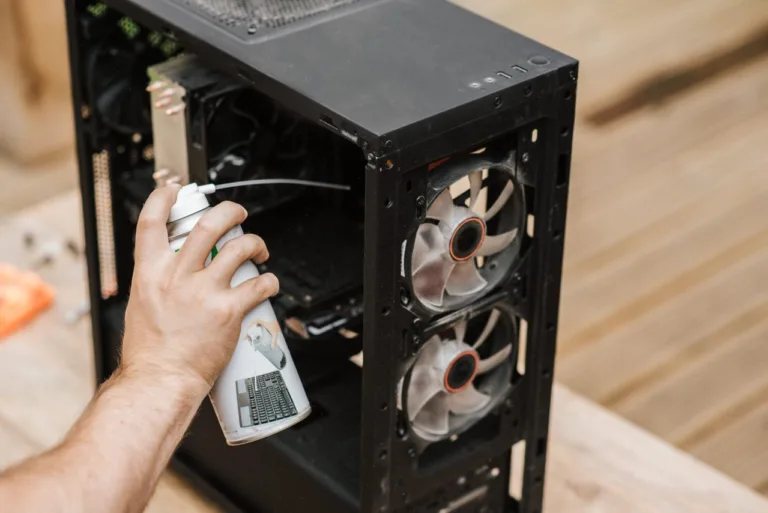
Overheating can cause computers to slow down, crash, or even suffer permanent hardware damage. Dust buildup, poor ventilation, and heavy workloads are common causes of overheating. Troubleshooting includes cleaning internal components, ensuring proper airflow, and using cooling systems such as fans or cooling pads. Monitoring system temperatures helps identify overheating issues before they become critical. Businesses should maintain clean and well-ventilated environments to protect their equipment.
7. Peripheral Devices Not Working
Devices such as printers, keyboards, and external drives are essential for daily operations. When these peripherals stop working, it can disrupt productivity. Troubleshooting begins by checking connections, ensuring devices are properly plugged in, and verifying that drivers are installed correctly. Restarting the device or reconnecting it can often resolve the issue. Updating drivers and testing the device on another computer can help determine whether the problem is hardware or software-related.
8. Security Warnings or Malware Infections
Cybersecurity threats are a growing concern for businesses of all sizes. Malware infections can compromise sensitive data and disrupt operations. Signs of infection include unusual pop-ups, slow performance, and unauthorized system changes. Troubleshooting involves running antivirus scans, removing suspicious programs, and updating security software. Implementing strong security measures, such as firewalls and employee training, helps prevent future threats. Businesses should treat security issues as high priority to avoid data breaches.
9. Blue Screen Errors
Blue screen errors, also known as system crashes, indicate serious issues within the operating system or hardware. These errors may be caused by driver conflicts, corrupted files, or failing components. Troubleshooting includes noting error codes, updating drivers, and running system diagnostics. Restoring the system to a previous state can sometimes resolve the issue. Persistent blue screen errors often require professional IT support to identify and fix the root cause.
10. File Access or Data Loss Issues
Losing access to important files can be a major problem for businesses. Data loss may occur due to accidental deletion, system failures, or cyberattacks. Troubleshooting includes checking backup systems, restoring files from previous versions, and using data recovery tools. Implementing regular backups is the best way to prevent permanent data loss. Businesses should ensure that critical data is stored securely and backed up consistently.
Common Troubleshooting Tips for Businesses
To reduce the frequency of computer issues, businesses should follow best practices for system maintenance and management. Key troubleshooting tips include:
• Keep software and operating systems updated
• Perform regular antivirus scans
• Monitor system performance
• Maintain clean and well-ventilated equipment
• Back up data regularly
• Train employees on basic troubleshooting steps
These practices help prevent many common problems and improve overall system reliability.
When to Call Professional IT Support
While some issues can be resolved internally, others require professional expertise. Complex problems involving hardware failures, cybersecurity threats, or network issues should be handled by experienced technicians. Companies like SonicKorp provide comprehensive computer troubleshooting services for businesses in Taunton and surrounding areas. Professional IT support ensures that problems are resolved quickly and correctly, minimizing downtime and protecting business operations.
The Importance of Proactive IT Maintenance
Reactive troubleshooting can solve immediate problems, but proactive maintenance prevents them from occurring in the first place. Regular system monitoring, updates, and security checks help identify potential issues early. Businesses that invest in proactive IT support experience fewer disruptions and improved productivity. Preventive maintenance also extends the lifespan of equipment and reduces long-term costs.
Keep Your Business Running Smoothly
Computer problems are inevitable, but they do not have to disrupt your business. By understanding common issues and applying effective troubleshooting techniques, companies can maintain stable and efficient systems. From slow performance to security threats, addressing problems quickly helps protect productivity and data. Partnering with experienced providers like SonicKorp ensures that businesses have access to expert support and advanced solutions. With the right approach to computer troubleshooting, your business can stay productive, secure, and ready for growth in 2026.
FAQs:
1. What is computer troubleshooting and why is it important for businesses in Taunton, MA?
Computer troubleshooting is the process of identifying, diagnosing, and fixing technical issues in hardware, software, or networks. For businesses in Taunton, it is essential because it helps reduce downtime, improve productivity, and prevent costly system failures that can impact daily operations.
2. What are the most common computer problems businesses face?
The most common computer problems include slow performance, internet connectivity issues, system crashes, software freezing, overheating, malware infections, and hardware failures. Identifying these issues early allows businesses to fix them quickly and maintain efficient operations.
3. How can I troubleshoot a slow computer quickly?
To troubleshoot a slow computer, close unnecessary programs, restart the system, check for malware, update software, and free up storage space. If the problem continues, upgrading hardware or seeking professional IT support may be necessary for long-term performance improvement.
4. When should a business hire professional computer troubleshooting services?
A business should hire professional IT support when dealing with recurring issues, network failures, cybersecurity threats, or hardware problems. Companies like SonicKorp provide expert troubleshooting services that help businesses resolve problems quickly and avoid long-term disruptions.
5. How does professional computer troubleshooting improve business productivity?
Professional troubleshooting improves productivity by reducing downtime, fixing issues faster, and preventing future technical problems. Businesses with reliable IT support can focus on operations while experts handle system performance, security, and maintenance efficiently.